
This guide explains what an APN is, how APN settings work in IoT SIM configuration, when to use a public APN versus a private one, and how Com4 uses private APNs in real deployments across agriculture, maritime, and automotive to keep device data secure.
What Is an APN? IoT SIM Configuration Explained
APN stands for Access Point Name. It is the setting on a SIM profile that tells a mobile network which gateway to route a device's data through once it connects. Think of it as an address label: the SIM gets the device onto the mobile network, and the APN tells that network where the device's traffic should actually go, whether that is the open internet, a specific cloud platform, or a private corporate network.
An APN is made up of a network identifier and, in many configurations, an operator identifier, written in a format like iot.provider.com. Alongside the APN name itself, a full APN configuration typically includes an authentication method, and in some cases a username and password, which the network uses to confirm the device is allowed to use that particular gateway.
For consumer phones, APN configuration is usually invisible: the device picks up the correct settings automatically. For IoT devices, APN configuration matters a lot more, because the choice of APN determines whether a device's data travels across the shared public internet or through a dedicated, access-controlled path built specifically for that deployment.
Public APN vs Private APN: Which Is Right for IoT SIM Configuration
A public APN routes a device's traffic out onto the open internet, the same way a public Wi-Fi network would. It is simple to set up and works well for devices that only need to reach a cloud service over a standard internet connection, such as many consumer-facing IoT products.
A private APN creates an isolated, access-controlled connection instead. Rather than routing through the public internet, a device on a private APN connects directly into a defined network, such as a company's data center, a specific cloud environment, or a dedicated VPN tunnel. Devices on a private APN are not visible on the open internet at all, which removes an entire category of attack surface.
The tradeoff is straightforward. Public APNs are easier to deploy and fine for low-risk, low-sensitivity use cases. Private APNs take a bit more setup but are the standard choice for anything handling sensitive data, controlling physical equipment, or operating as part of critical infrastructure, where an exposed device is not an acceptable risk.

Com4 Use Cases: How Private APNs Secure Real IoT Deployments
Private APN configuration is not a theoretical security feature. It is how Com4 secures connectivity for customers across several industries today.
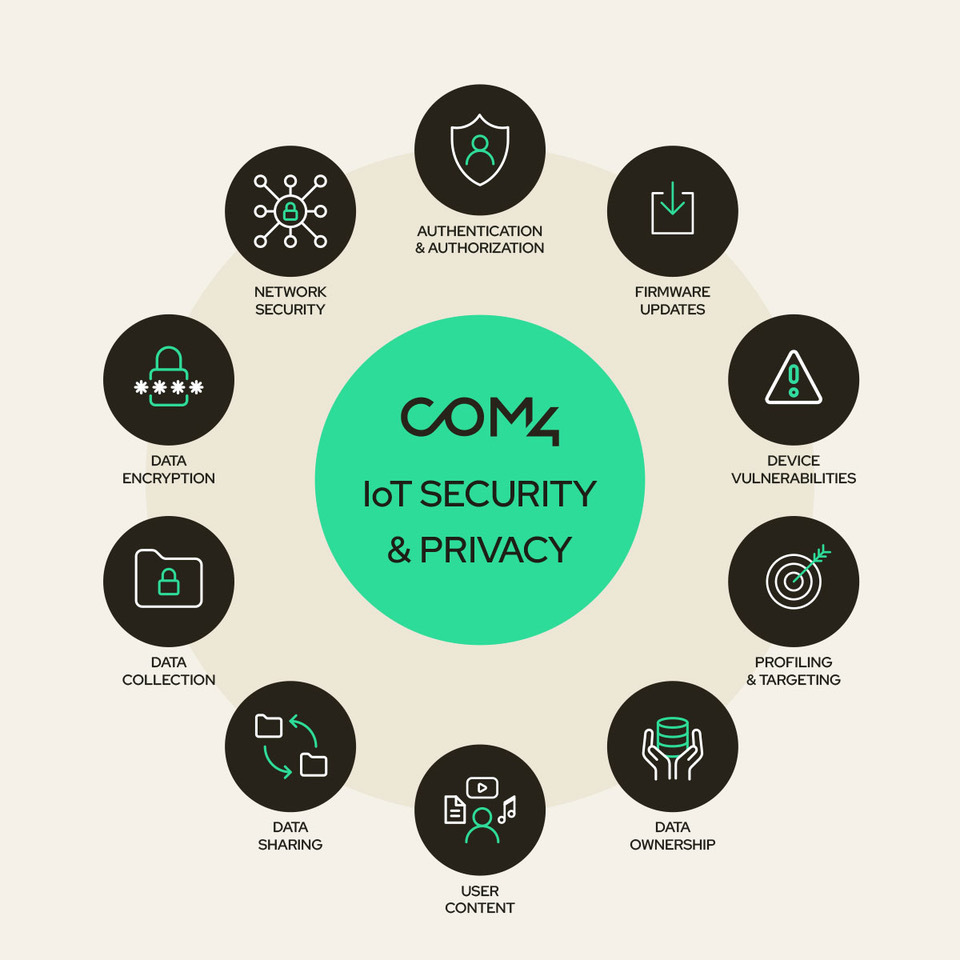
IoT security and data protection. Com4's IoT Security Solutions are built around private APN access combined with VPN encryption. The private APN gives a customer's devices an isolated network path into their infrastructure, corporate network, or cloud environment, while VPN tunnels encrypt the data as it travels between the device and the backend system. Because devices connect only through the private APN rather than the open internet, they are far harder to discover or target, which matters given that a large share of IoT devices in the field remain insecure and the average time to first attack on an exposed device can be measured in minutes.
Smart farming and agriculture. Com4 supports agricultural customers, including Norwegian greenhouse operators and fish farms along the Norwegian coast, with connectivity for soil sensors, irrigation controls, and livestock monitoring. Security for these deployments is built on private APNs, IMEI locking, and encrypted VPN tunnels, so that a sensor or control system in a remote field or coastal pen only ever talks to the customer's own systems rather than being reachable from the public internet.
Maritime cold chain and container tracking. In shipping, Com4 connects temperature and humidity sensors inside refrigerated containers so that operators can catch a cold chain deviation before goods are compromised. A German fruit distributor uses this kind of multi-network connectivity to track shipments and reduce spoilage. Routing that sensor data through a private APN into the customer's own monitoring systems keeps commercially sensitive shipment and location data off the open internet for the full duration of the voyage.
Automotive OEM data routing. For automotive manufacturers running connected vehicle fleets, Com4 provides global IoT SIM cards that support features like over-the-air updates, remote diagnostics, and V2X communication. A private APN lets an OEM route vehicle telemetry directly into its own backend systems rather than the public internet, which matters for anything touching vehicle safety systems, software updates, or driver data.
.png?width=1037&height=817&name=image002%20(1).png)
How to Configure an APN for IoT SIM Cards
Getting APN configuration right for a fleet of IoT devices generally follows the same sequence, whether the deployment is five devices or five hundred thousand.
- Decide whether the use case needs a public or private APN based on the sensitivity of the data and the systems the device needs to reach.
- Confirm the exact APN name, authentication type, and any username or password required, provided by the connectivity provider.
- Set the APN in the device's firmware or module configuration, either hardcoded at manufacturing or configurable remotely.
- Test connectivity in a real network environment before mass deployment, since some networks silently reject malformed APN settings rather than returning a clear error.
- For private APNs, confirm the routing into the destination network, whether that is a VPN tunnel, a dedicated leased line, or a direct cloud interconnect, is correctly provisioned on both ends.
Common APN Configuration Problems and How to Fix Them
The most common APN issue in IoT deployments is a device that has signal and a valid SIM but still cannot send data, which almost always traces back to an incorrect or missing APN setting. Devices manufactured for one country's network sometimes ship with a hardcoded APN that does not match the SIM's actual home network, especially after a SIM swap or a migration to a new connectivity provider.
Authentication mismatches are another frequent cause: an APN that requires a username and password will silently fail if a device is configured with the APN name alone. For private APN deployments specifically, connectivity can look fine at the SIM level while still failing, because the issue sits in the routing between the private APN and the destination network rather than in the device configuration at all. This is why testing the full path end to end, not just the SIM connection, matters before a fleet goes live.
What to Look for in an APN and IoT SIM Configuration Provider
Not every connectivity provider handles APN configuration the same way, and the differences matter once a deployment scales past a handful of devices.
Both public and private APN options. A provider should support straightforward public APN access for low-risk use cases and properly isolated private APN configuration for anything sensitive, rather than treating private APN as an afterthought.
VPN and IPsec support alongside the APN. A private APN is only as secure as the tunnel carrying the data. Look for a provider that pairs private APN access with encrypted VPN or IPsec connections as standard, not as a costly add-on.
Remote APN management at scale. For large fleets, the ability to view and adjust APN configuration across thousands of devices from a single connectivity management platform saves significant operational overhead compared with reconfiguring devices one at a time.
Clear authentication and IMEI-level controls. Additional controls like IMEI locking, which ties a SIM to a specific device, reduce the risk of a SIM being removed and reused outside its intended deployment.
A partner who can troubleshoot the full path. Because APN problems often sit at the boundary between the SIM, the network, and the destination system, a provider with engineers who can diagnose across all three layers will resolve issues faster than one who can only speak to the SIM side.
What Is an APN: The Bottom Line for IoT Connectivity
An APN is a small setting with an outsized effect on how an IoT device's data reaches the outside world. Public APNs are the right call for simple, low-risk connections, while private APNs, paired with VPN or IPsec encryption, are the standard for any deployment handling sensitive data or controlling physical equipment. As Com4's work across agriculture, maritime, and automotive shows, correct APN configuration is not just a technical detail. It is part of how a connected device stays secure for its entire operational life.